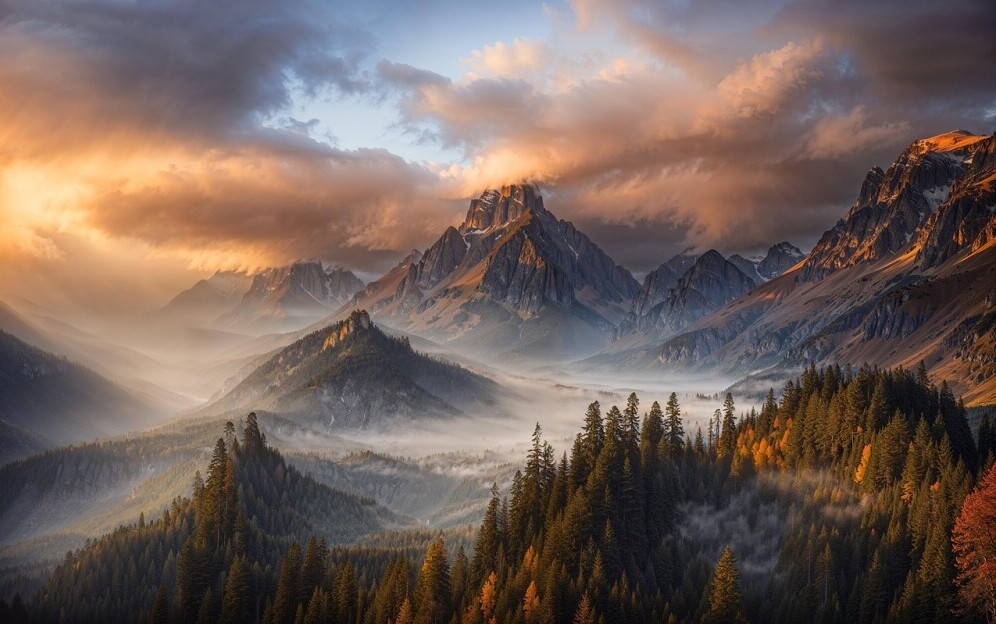
AI art generators are transforming how digital artists create, experiment, and scale their work.
What once took hours—or even days—can now be done in minutes. From concept art to polished visuals, AI tools are becoming a core part of modern creative workflows.
But with so many options available, which tools are actually worth using?
In this guide from Quevoria, you’ll discover the top 10 AI art generators for digital artists, along with their features, strengths, and best use cases.
What Are AI Art Generators?
AI art generators use machine learning models trained on large datasets of images to create new artwork based on text prompts, styles, or input images.
These tools can:
- Turn text into images
- Apply artistic styles
- Generate concept art
- Enhance or modify existing images
For digital artists, this unlocks entirely new creative possibilities.
How to Choose the Best AI Art Generator
Before choosing a tool, consider what you actually need.
Ease of use matters if you’re just starting out, while advanced users may want deeper customization. Style flexibility is important if you want to create different types of artwork such as realism, anime, or abstract visuals. Output quality and resolution also matter, especially for professional use.
You should also consider licensing and whether you can use the generated images commercially.
The best tool isn’t the most popular—it’s the one that fits your workflow.
1. MidJourney
MidJourney is one of the most popular AI art generators available today. It’s known for producing highly stylized, artistic, and cinematic images.
It’s especially powerful for artists looking to create visually striking pieces rather than hyper-realistic renders.
Best for:
- Concept art
- Fantasy and cinematic visuals
- Stylized digital artwork
Pros:
- Exceptional artistic quality
- Unique visual style
- Strong creative community
Cons:
- Runs through Discord, which can take time to learn
- Less direct control compared to some tools
2. DALL·E
DALL·E is widely known for turning creative text prompts into detailed images.
It excels at interpreting imaginative ideas and translating them into visuals, making it great for brainstorming and experimentation.
Best for:
- Creative exploration
- Marketing visuals
- Unique compositions
Pros:
- Easy to use
- Strong prompt understanding
- Great for idea generation
Cons:
- Less consistent style control
3. Stable Diffusion
Stable Diffusion is an open-source AI art generator that offers advanced customization.
It’s ideal for users who want full control over their outputs and are willing to learn the system.
Best for:
- Advanced users
- Custom workflows
- Fine-tuned models
Pros:
- Highly flexible
- Open-source
- Can run locally
Cons:
- Requires setup and technical knowledge
- Steeper learning curve
4. Adobe Firefly
Adobe Firefly is built specifically for designers and integrates directly with Adobe tools.
It’s one of the best options for professionals working on commercial projects.
Best for:
- Graphic design
- Commercial work
- Photoshop users
Pros:
- Seamless Adobe integration
- Commercial-friendly outputs
- Easy to use
Cons:
- Requires access to Adobe products
5. Runway ML
Runway ML is a powerful creative platform that goes beyond static images.
It allows artists to generate, edit, and experiment with visual content, including video.
Best for:
- Video and motion design
- Creative experimentation
- Multimedia projects
Pros:
- Advanced creative tools
- Supports video
- Intuitive interface
Cons:
- Some features require paid plans
6. Artbreeder
Artbreeder focuses on evolving and blending images.
It’s especially useful for character design and exploring variations of existing visuals.
Best for:
- Character creation
- Portraits
- Style experimentation
Pros:
- Easy to use
- Interactive controls
- Unique blending capabilities
Cons:
- Limited compared to newer tools
7. Deep Dream Generator
Deep Dream Generator is known for its surreal, abstract visuals.
It creates highly distinctive images that stand out from traditional AI outputs.
Best for:
- Experimental art
- Abstract visuals
- Unique textures
Pros:
- Distinct artistic style
- Simple to use
Cons:
- Limited realism
- Less control
8. NightCafe
NightCafe is a beginner-friendly AI art generator with multiple creation methods.
It’s a great starting point for anyone new to AI art.
Best for:
- Beginners
- Casual creators
- Style experimentation
Pros:
- Easy to use
- Multiple AI models
- Active community
Cons:
- Limited free credits
9. Jasper Art
Jasper Art is designed for marketers and content creators.
It focuses on generating quick visuals for blogs, ads, and social media.
Best for:
- Marketing visuals
- Blog content
- Social media graphics
Pros:
- Fast generation
- Simple interface
- Great for content creators
Cons:
- Less artistic depth
10. Canva AI Image Generator
Canva’s AI image generator is built into its design platform, making it extremely accessible.
It’s ideal for beginners or non-designers who need quick visuals.
Best for:
- Social media graphics
- Quick designs
- Beginners
Pros:
- Very easy to use
- Integrated into Canva
- Fast results
Cons:
- Limited advanced features
Benefits of AI Art Generators
AI art tools offer several advantages for digital artists.
They dramatically speed up the creative process, allowing artists to produce more work in less time. They also help generate new ideas, making them valuable for overcoming creative blocks.
Another major benefit is accessibility. Artists at any level can experiment with advanced techniques that would otherwise require years of experience.
AI also makes it easier to scale content creation, which is especially valuable for freelancers and content creators.
Limitations and Challenges
Despite their advantages, AI art generators come with limitations.
You won’t always get exactly what you want, especially with complex prompts. There are also ethical concerns around ownership, copyright, and how AI models are trained.
Another challenge is over-reliance. If you depend too much on AI, it can limit your development as an artist.
The key is balance.
How to Use AI Art Generators Effectively
To get the best results, treat AI as a creative partner.
Use it to:
- Generate ideas
- Create rough drafts
- Explore new styles
Then refine and improve the output manually.
Combining AI with your own artistic input is what produces the best results.
The Future of AI Art
AI art is evolving rapidly.
We’re already seeing improvements in:
- Realism
- Control and customization
- Integration with creative tools
As these tools improve, they will become even more powerful and accessible.
Artists who learn to use them effectively now will have a major advantage.
Final Thoughts
AI art generators are changing the creative landscape.
They offer speed, flexibility, and new creative possibilities—but they also require thoughtful use.
The most successful artists won’t be the ones who rely entirely on AI.
They’ll be the ones who know how to use it.
When you combine AI tools with your own creativity and vision, you unlock a completely new level of artistic potential.